


Material Testing Blog

HomeMaterial Testing Blog

How to Choose a Used Wireless Network Analyzer?

Choosing a Used Wireless Network Analyzer requires more than comparing prices and photographs. Condition matters. A reliable instrument should match your testing goals, frequency range, and measurement accuracy requirements. Before purchasing, check its model number, supported bands, dynamic range, noise floor, and available calibration options. These details reveal whether the analyzer suits Wi-Fi deployment, antenna testing, cable inspection, or broader RF work.

I have learned that cosmetic damage is not always the greatest concern. A scratched case may hide a perfectly stable instrument, while worn connectors can create serious measurement errors. Inspect each port carefully, especially the test connector and any adapter interface. Request recent screenshots, a self-test report, and evidence of stable readings from a known signal source. Trust evidence. Ask whether the battery, display, cooling fan, and control buttons function properly. Confirm the firmware version and determine whether updates remain available from the manufacturer. Calibration history also matters, because stored traces cannot replace current verification. An independent calibration certificate is valuable when accuracy affects engineering decisions or compliance documentation. However, no checklist catches everything. Used equipment may develop intermittent faults after shipping, even when testing appears normal. Choose a seller with clear return terms, accurate condition descriptions, and responsive technical support. Keep records of serial numbers, accessories, and test results. A careful evaluation reduces risk and helps you buy a Used Wireless Network Analyzer that performs reliably in real working conditions.
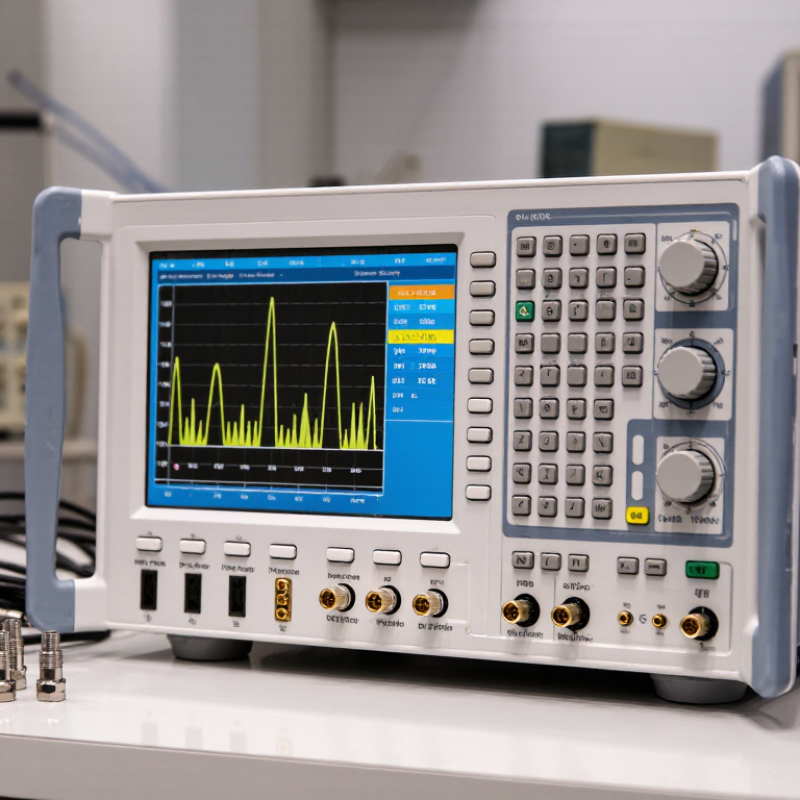
How to Choose a Used Wireless Network Analyzer?

Define Your Wireless Testing Requirements

Before inspecting a used wireless network analyzer, define the problem it must solve. Are you checking coverage, interference, roaming, or packet behavior? Each task demands different capabilities.

A small office may need spectrum visibility and clear reports. A high-density site may require multi-band capture, timestamp accuracy, and directional measurements. Write down the wireless standards, frequency ranges, channel widths, and expected signal levels.

Do not rely on vague terms like “professional grade.” They hide practical limits.

Think about how you will work in the field. I have found that weight, battery life, and screen readability affect testing more than brochures suggest.

Decide whether you need live visualization, raw capture files, external antennas, or computer-based analysis. Check the analyzer’s input range, noise floor, supported connectors, and maximum capture duration.

A missing adapter can stop a scheduled survey. That happened to me. Also define acceptable measurement error and required calibration records.

If results support business decisions, traceable calibration matters.

Used equipment needs a condition checklist. Inspect ports, knobs, display, battery swelling, storage errors, and signs of moisture.

Request a recent self-test and sample measurement from a known reference source. Compare the result with your expected range, not just the seller’s description.

Confirm software compatibility, license transfer rules, firmware support, and repair availability. These details are easy to overlook.

Leave room for uncertainty. Older hardware may work well, but undocumented drift can weaken confidence.

Choose the unit that matches your written requirements, even if it looks less impressive.

Identify Compatible Analyzer Types and Frequency Bands

How to Choose a Used Wireless Network Analyzer?

Start by matching the analyzer type to the problem you need to solve. A spectrum analyzer shows energy, interference, and noise across a frequency range. A protocol analyzer captures wireless frames and helps inspect authentication, roaming, retries, and channel use. For routine office troubleshooting, protocol analysis may be enough. For microwave leakage, narrowband interference, or crowded venues, spectrum analysis is more useful. Do not assume one instrument does everything. I made that mistake once.

Frequency coverage is equally important. The Wi-Fi Alliance’s Wi-Fi 6E technical materials identify the 6 GHz band as a major expansion beyond traditional 2.4 GHz and 5 GHz operation. A used analyzer limited to 2.4 GHz and 5 GHz cannot fully evaluate newer 6 GHz deployments. Check supported channel widths, including 20, 40, 80, and 160 MHz. Also verify regional channel support and firmware compatibility. Standards evolve faster than hardware.

Cisco’s Annual Internet Report forecast 29.3 billion connected devices by 2023, increasing pressure on wireless environments. That trend makes accurate capture and interference testing more valuable. Review the analyzer’s maximum input level, sweep speed, capture memory, and connector condition. Ask for calibration records. Check the display in person. A scratched screen is manageable; unstable frequency readings are not. Older software may work, but sometimes poorly. Leave room for doubt, and budget for recalibration before trusting critical measurements.

Inspect the Device’s Condition, Calibration, and Accessories

How to Choose a Used Wireless Network Analyzer?

A used wireless network analyzer should be inspected like a measurement tool, not ordinary second-hand electronics. Check the enclosure for dents, loose screws, corrosion, and signs of liquid exposure. Turn the control knob slowly. It should not skip values. Inspect the display for dead pixels, uneven brightness, or hidden cracks. Test every port with suitable cables and adapters. A clean screen can still hide serious internal damage.

Calibration deserves closer attention. Ask for the latest calibration certificate and verify its date, test conditions, and traceability. A certificate without clear laboratory details provides limited confidence. Run the analyzer’s internal self-test after startup. If possible, compare its readings with a reliable reference signal or a recently calibrated instrument. Watch for unstable noise levels, incorrect frequency peaks, or unusually slow sweeps. I once trusted a recent-looking certificate and missed a drifting measurement channel. That mistake changed the inspection process.

Accessories affect practical value and measurement safety. Confirm that the original power supply, battery, test cables, adapters, attenuators, and protective case are included. Examine cable connectors for bent pins and worn shielding. Check battery runtime during a continuous sweep, not only during a quick demonstration. Some missing accessories are cheap to replace; precision components may not be. Record every defect, request service history, and leave room for repair costs. A lower purchase price is not always a better result.

How to Choose a Used Wireless Network Analyzer? - Inspect the Device’s Condition, Calibration, and Accessories

Inspection Area What to Check Signs of Acceptable Condition Warning Signs Suggested Buyer Action
Exterior and enclosure Inspect the case, handles, feet, seams, screws, and any signs of impact, liquid exposure, or unauthorized opening. Minor cosmetic wear with an intact enclosure and no evidence of liquid ingress or loose parts. Cracks, bent panels, corrosion, missing screws, or damaged seals may indicate drops, moisture, or repairs. Ask about the instrument’s service history and request a close inspection of any damaged areas.
RF test ports and connectors Check connector threads, center contacts, port alignment, and protective caps. Avoid touching connector contacts. Threads are clean and undamaged; contacts appear centered and free of visible dents, debris, or corrosion. Cross-threading, a loose connector, a visibly bent contact, or signs of repeated side loading can affect measurements. Request inspection by a qualified technician if a port looks damaged. Include connector repair or verification costs in the purchase decision.
Power-on and basic operation Start the analyzer and observe its startup checks, display, controls, menus, and ability to save or recall a measurement setup. It starts without persistent error messages; controls respond; the display is readable; basic functions operate consistently. Unexpected shutdowns, persistent errors, unresponsive keys, display defects, or unstable readings require investigation. Test the unit in person where possible, and request a demonstration of the functions needed for your work.
Frequency range and measurement functions Confirm the actual frequency range, number of ports, and measurement functions against the intended application and the unit’s configuration. The documented configuration covers the required bands and measurements, such as reflection or transmission measurements, where applicable. A base configuration may not include a required frequency option, measurement mode, or port capability. Verify the configuration in the instrument’s menus and documentation; do not rely only on the exterior model label.
Calibration status and records Review the calibration certificate or service record, including date, measured functions, stated uncertainty, and any limitations. Records identify the instrument and show calibration or verification relevant to the measurements you need. Missing, expired, incomplete, or mismatched records make measurement accuracy and traceability difficult to assess. Ask whether the seller can provide current calibration through a qualified laboratory. Confirm that the calibration scope suits your use.
Calibration kit and measurement verification Check whether a compatible calibration kit is included and whether its standards, connector type, and frequency range suit the analyzer. The kit is complete, identified, and in good physical condition; verification can be performed with suitable known standards. Missing standards, damaged connectors, or an incompatible kit can prevent a valid calibration at the test plane. Confirm compatibility and the kit’s condition. If possible, compare a measurement against a known verification standard.
Battery and power supply Check battery condition, charging behavior, power-supply output rating, cable condition, and connector fit. The unit operates from its supplied power source; the battery charges and holds charge adequately for the intended use. Swelling, leakage, excessive heat, intermittent power, or damaged cables are safety and reliability concerns. Do not use a swollen or leaking battery. Confirm availability and cost of a suitable replacement before purchase.
Included accessories Inventory the listed accessories, such as RF cables, adapters, test leads, calibration kit, power supply, battery, and protective case. Accessories are present, undamaged, and suitable for the instrument’s connectors and frequency range. Unlisted or damaged adapters and cables may introduce measurement errors or require replacement. Get an itemized accessory list in writing and price any missing or unsuitable items separately.
Documentation and ownership Request the user manual, configuration details, service history, and confirmation that the seller can transfer the instrument legally. Documentation matches the instrument, and the seller can explain its source and included configuration. Unclear ownership, inconsistent serial information, or missing configuration details can create avoidable risks. Record the instrument identification and agreed configuration on the sales documentation.

Compare Software Support, Warranty, and Total Cost

How to Choose a Used Wireless Network Analyzer?

A used analyzer can look like a bargain until its software no longer runs on your laptop. Ask the seller for the exact model, software version, and supported operating systems. Then check whether a current installer, license transfer, and calibration utility are available. Request a brief live demonstration: connect the analyzer, scan a quiet office channel, and export a readable report. Small details matter. A missing driver can turn a capable instrument into a paperweight.

Read the warranty terms closely. Confirm its length, which parts are covered, and who pays shipping if the unit fails. A short return window is useful, but it is not the same as a repair warranty. Ask for recent service records and a dated calibration certificate, especially if measurements will guide site changes. The total cost includes more than the sale price: software fees, replacement batteries, calibration, adapters, training, and possible repairs all add up. Compare that figure with a supported unit, not just another used listing. I would leave room for one surprise expense; older equipment often has one. If the seller cannot verify software access or demonstrate basic operation, walk away, even when the price feels unusually good.

Verify Performance with a Practical Test Before Buying

A used wireless network analyzer should prove its usefulness before money changes hands. The ITU’s Facts and Figures 2023 estimated that 5.4 billion people were online, increasing pressure on shared network environments. That figure does not predict local interference, but it explains why a quiet-looking display may hide real congestion.

Test the unit in a familiar location, with a known access point nearby. Compare its detected channels and signal readings with a trusted analyzer, then repeat the scan. Check both supported frequency bands, scan speed, battery stability, and whether the screen freezes. Look closely at the connectors and ask for the calibration record; an old calibration date can weaken confidence in precise readings. Small details matter.

Watch live results, not just a saved screenshot. Walk several metres and see whether signal levels change consistently. Then introduce a practical challenge, such as nearby network traffic, and confirm that the analyzer shows channel occupancy or interference as claimed. A clean display can still mislead. I would not buy based on one impressive scan; results can vary with antenna position, firmware, and the testing room. If the seller cannot allow a repeat test, treat that uncertainty as part of the price.

Go to Top